Friday, February 7, 2014

Android Phone - How to Encrypt your phone

02.17.14: It is not worth the effort on a smartphone.
Luckily, I had only encrypted the main phone and could easily (20 mins) decrypt.

My problems with using encryption were slow response and extra password effort.

Just be sure to use a very strong password and don't store anything on your phone you haven't backed up.

p.s. never store anything on your phone or computer you wouldn't want shown on Facebook. 

02.06.14: Ever wondered if you should encrypt your phone to ensure absolute confidentiality?

I have considered it for some time, especially with the Edward Snowden leak concerning the NSA breaking into worldwide Internet systems and scooping up metadata (only metadata, right?).

So I decided to hide everything I could think of, just to make it more difficult for gov'ts to snoop!

Some recent legal rulings have suggested that encryption can protect against warantless searches ... not that any gov't official would want to search my phone ... but in case there is a mistaken identity...
As strange as it may sound,
Canadian court has ruled that phones can be searched without a warrant as long as they are not encrypted.
Surprise, a California Supreme Court has also ruled that police officers can lawfully search YOUR cell phone without a warrant if it’s taken from you during arrest – but they would require a warrant if it was encrypted. 

If you would like to do it, here are the very simple steps.

My smartphone is slightly slower after encryption but not a problem.

Warning: You will need to factory reset your phone to undo the encryption.

The battery must be at least 80% before the encryption will start. 
Also, it could take up to an hour to complete the encryption so you should have your phone plugged in during the process.
Also, you must be using Password or PIN or the encryption will not start.

Warning: Whatever screen lock type you choose will be used for starting the device and getting past your lock screen. Be sure to use a complex password or PIN but ensure it is easy to enter.


Figure A


Select a strong password. Otherwise it defeats the purpose of encryption all together. 

Now you are ready to start the encryption.


  1. Open the app drawer
  2. Tap Settings 
  3. Tap Security
  4. Tap Encrypt device


Figure C

Let me know if you have any problem encrypting your smartphone.

Friday, January 31, 2014

Android Phone - how to recover lost files from an sdcard

14:01.26: Have you lost some files (pics, etc) from your smartphone's micro SDcard?

This has happened to me a few times. I had thought it was  because i had copied some grandchildren pics (taken with my DSLR) onto my micro SDcard to show friends.

Luckily, i back up my smartphone data regularly to my PC and didn't lose anything.

Connect your smartphone to your PC's USB port and check to see if the micro SDcard is visible with your PC's File Explorer.
If it is, click on it then click on Card and then you should see a LOST.DIR folder.
Open the folder and see if there are any files within. Mine has 588 files ... files i cannot see on my smartphone now. 

This site shows you if you can recover the lost files. But using the app will cost you a few $s. So just use it to identify lost files.

I suggest copying the files from your PC instead, as it is faster (if you had them backed up) and then delete the LOST.DIR folder.

If you can't copy all the lost files from your PC, but the above app showed all the lost files, call me for the actual recovery steps.

Call me, if you want some help.

Sunday, January 5, 2014

Internet Wi-Fi Password


14.01.05: Your home access to the Internet is via a modem
In addition, there is another piece of hardware called a router which is the Internet wi-fi controller (from the modem to your computers and smartphones). 


Some service providers have moved to one piece of hardware to manage the modem and the router.

Regardless, there is still a requirement to manage and ensure security (who can access your gateway to the Internet).

Back in December 2011, I described the security aspects of the router. 

I outlined which method should be used ... but didn't show you how to set the wi-fi password on your router.

When people visit your home, they may ask to use your wi-fi while in your home ... and here is what to do if you have forgotten the password. 

1. Using your browser, enter the IP address 192.168.1.0 in the address line (or 192.168.0.1 or 192.168.1.1). This address allows access to your router setup pages. If it doesn't work, let me know the make of your router and I can find it for you.

2. when the router pages appear in the browser, go to the Wireless Security menu item and click on the Submit button (leaving the password blank). 

3. This should take you to the security screen where you will see similar to the 2nd pic above. Your existing password should be visibly and/or you should be able to change it easily. Choose an eight characters/letters combination that would be difficult to guess. 

While on this security screen, check to ensure WPA2 is being used for authentication and AES is used for encryption. These are best (most secure) available.

Tuesday, December 24, 2013

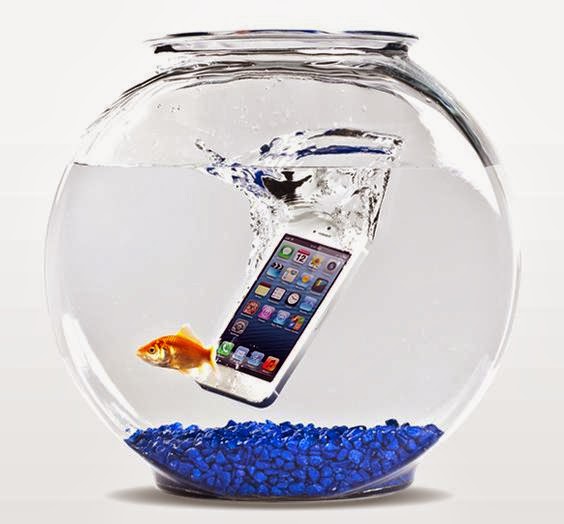
Water damaged Smartphone?

13.12.24: Most people don't think about it until it happens.

Cell phones, like cameras, are not waterproof ... unless you buy one of the few that are.
Unfortunately, the big sellers are not there yet.

There are some inexpensive DIY approaches suggested (rice, isorpopyl alcohol) ... but not guaranteed.

First thing is to take out SIM card, SDcard and battery immediately.   

There are now two reliable solutions. One before it happens and another after it happens.

If you dropped your phone in water, you can buy this Reviveaphone kit to fix it (90 percent success rate) for approx $33 (includes shipping).
It was reviewed on Dragon's Den and was supported (show to be aired in January).

A young guy has been repairing phone for a few years before coming up with this solution.
It seems to be selling well.


Another approach is to water seal your smartphone when you buy it (before you move all your data to it).
Currently, they can seal iPhone (4 and 5 models) and Samsung (Galaxy and Discovery models).

This is a guaranteed sealing on the inside of the phone (by a Canadian company) and nothing is apparent from the outside.

The downside is waiting to use your phone, as you must send it to Calgary for the sealing process.
The company is WaterSeal and their site indicates mail-in service to begin in November 2013. Call them at 403-450-8705 to inquire.
I have a call in and will update when known.

Monday, December 16, 2013

How to speed up your PC

13.12.16: As you might expect, there are a lot of tools to help speed up your PC.

In my experience, this one is reliable and does increase performance (even more than the Adjust for Best Performance Windows 8 system option).

It is one of the many optimization items within the absolutely FREE Advanced SystemCare app (click on "External Mirror 1 [exe]" to download.

It is not often I advertise a free app but this one, to date, offers real FREE services to help you enable your PC.

To help speed up your PC, ASC has a turbo boost option worth trying.

1. After installing, click on Turbo Boost and then click the word Configure under the wording Game Mode: OFF
2. select Game Mode and click on
3. only select those items you are sure of (call me for assistance)
4. select Yes, Use Advanced SystemCare Power Plan and click on Next
5. select Turn on Turbo Burst at Windows startup. and click on Apply

You can then close the app and you should see significantly better speed. 

If you have any questions or concerns, pls call me.


Running out of space on c-drive?

13.12.16: There are various reasons for this.

First, if your computer starts to run slower, this may be the reason ... if you have been regularly running your anti-virus protection and periodically (2-3 times per year) running a registry optimizer app.

However, running out of space on the c-drive is usually indicated by a std msg indicating low space on the drive.

Regardless, there are a few ways to free up space:
1. delete (in recycle bin also) any folders and files you know aren't required
2. disk cleanup by start -> computer -> right-click c-drive -> tools -> disk cleanup


After the above, approx 4gb or more can be removed by:
1. moving your paging file to another drive (only works if you have another hard drive - not USB drive)
2. deleting the hiberfil.sys file (only if you do not use hibernation - which is of little value in Win7 or Win8 if you are running out of space).

Here are the methods for Windows 8:

1. delete hiberfil.sys file by start -> right click command prompt and select run as administrator.
A little window will open and you type cd\ and then you type powercfg -h off

2. move the pagefile.sys file start -> control panel -> system and security -> system -> advanced system settings -> advanced -> performance settings -> advanced -> make changes and save by indication paging file for another drive and then 'no paging file' for c-drive

Tuesday, December 10, 2013

Rogers or Bell - Get a Competitive Quote and then Call to Cancel

13.12.09: Once again, it pays to shop around at the end of a contract with Bell or Rogers.
 
A year ago, our TV contract with Rogers was coming due.
I checked with Bell and got a better deal and then
called Rogers (customer retention) and ask them to stop service a month hence.
Rogers came back with a 30% discount (Internet and TV) that caused us to stay for a year.

The year is up Jan 20th.

I called Bell today and got their best rates for Internet and TV (can't get one without the other) for everything we have at Rogers. Bell also included an upgraded PVR (whole home).

I then called Rogers to cancel Internet and TV service as of Jan 20th (must call a month ahead or you are charged an extra month) and told them what Bell was offering. They asked what it would take to stay, as we were a long time customer.

Once again, Roger exceeded my expectations by including the Internet, TV and home phone (and an upgraded PVR) in a monthly cost that was $50 less than Bell and $8 less than Rogers currently.

If I hadn't negotiated, we would be paying Rogers $85 more per month as of February.

It always pays to negotiate with these two.